
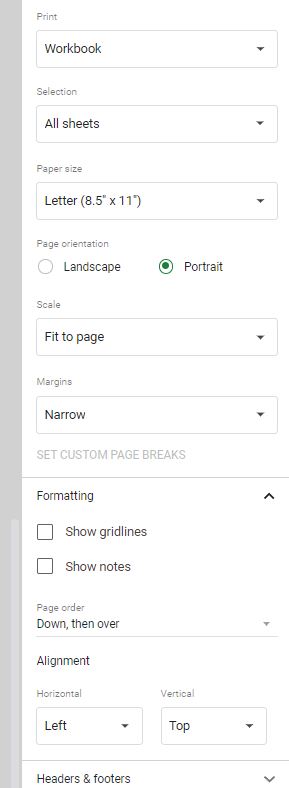
Click the button below to open the direct link to the Google Sheet. Once the Google Sheet is open, press Ctrl-P (or Cmd-P on Mac) to print. First choose which sheet to print (current or both). Then choose “Portrait” for the orientation. You will need to adjust the size of the zoom by choosing “Fit to page”. Finally, choose the Margin to be “Narrow”. At this point, your settings should match the image to the left. Feel free to adjust other settings as necessary for your printer.